COD Manager: the software I run cash-on-delivery operations on.
The order management platform I built to run cash-on-delivery operations end to end, from the order to the collected cash. Now available to run yours. It's already in production across 10 countries, with ~100,000 orders run through it in 12 months.
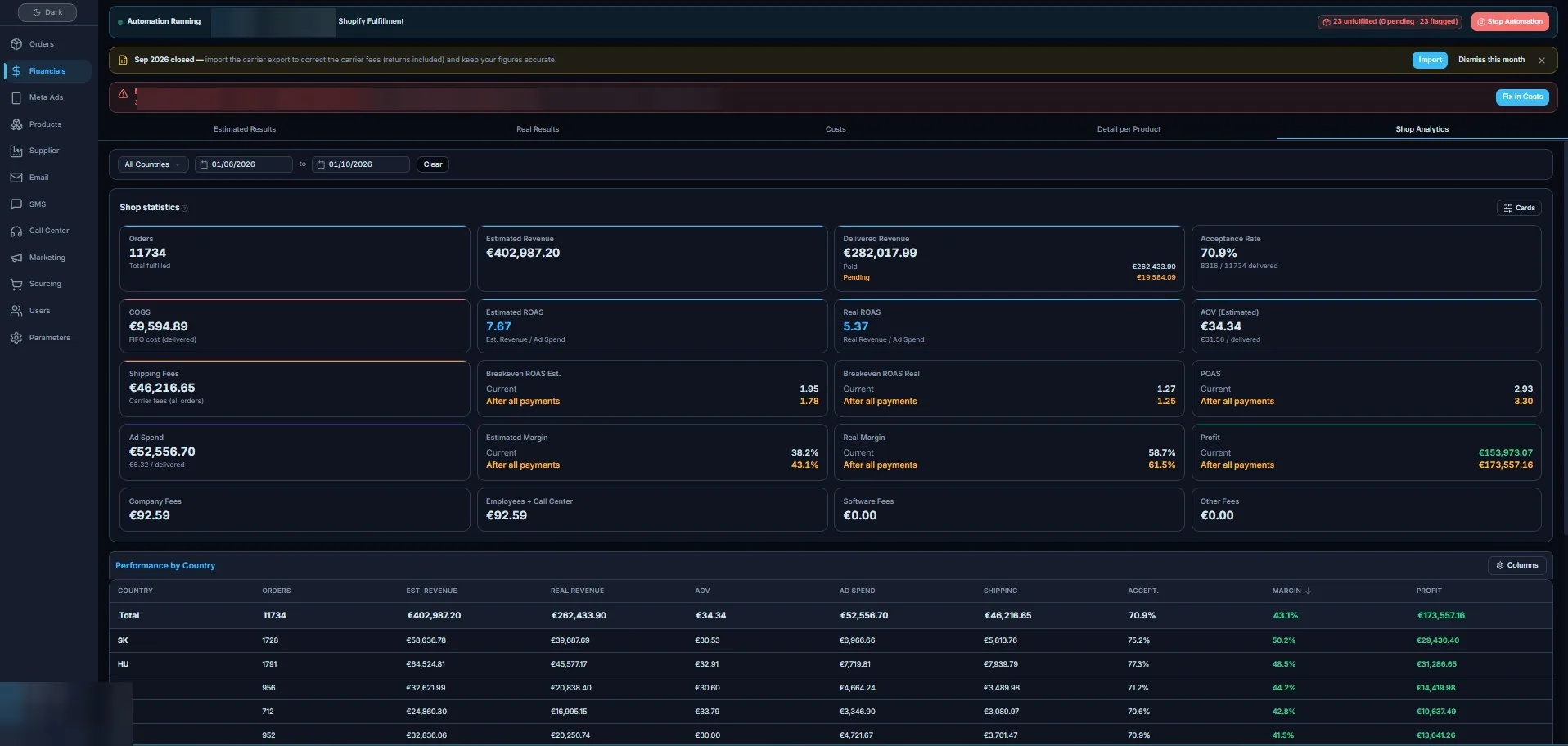
Built for multi-store COD sellers shipping across borders.
It's made for cross-border sellers, for example those shipping cash on delivery into Central and Eastern Europe, who run several stores, countries and carriers at once.
- You sell cash on delivery from several stores and want every order in one list
- You ship into several countries, each with its own carrier, language and refusal rate
- Your call-center confirms orders by phone and needs one screen to work from
- The revenue on your dashboard never matches the cash the carriers settle
- You'd rather run proven software than commission a system from scratch
Five modules, one path from the order to the collected cash.
Every order moves through the same steps, whichever store it comes from and whichever country it ships to. Each module closes a place where COD margin usually leaks.
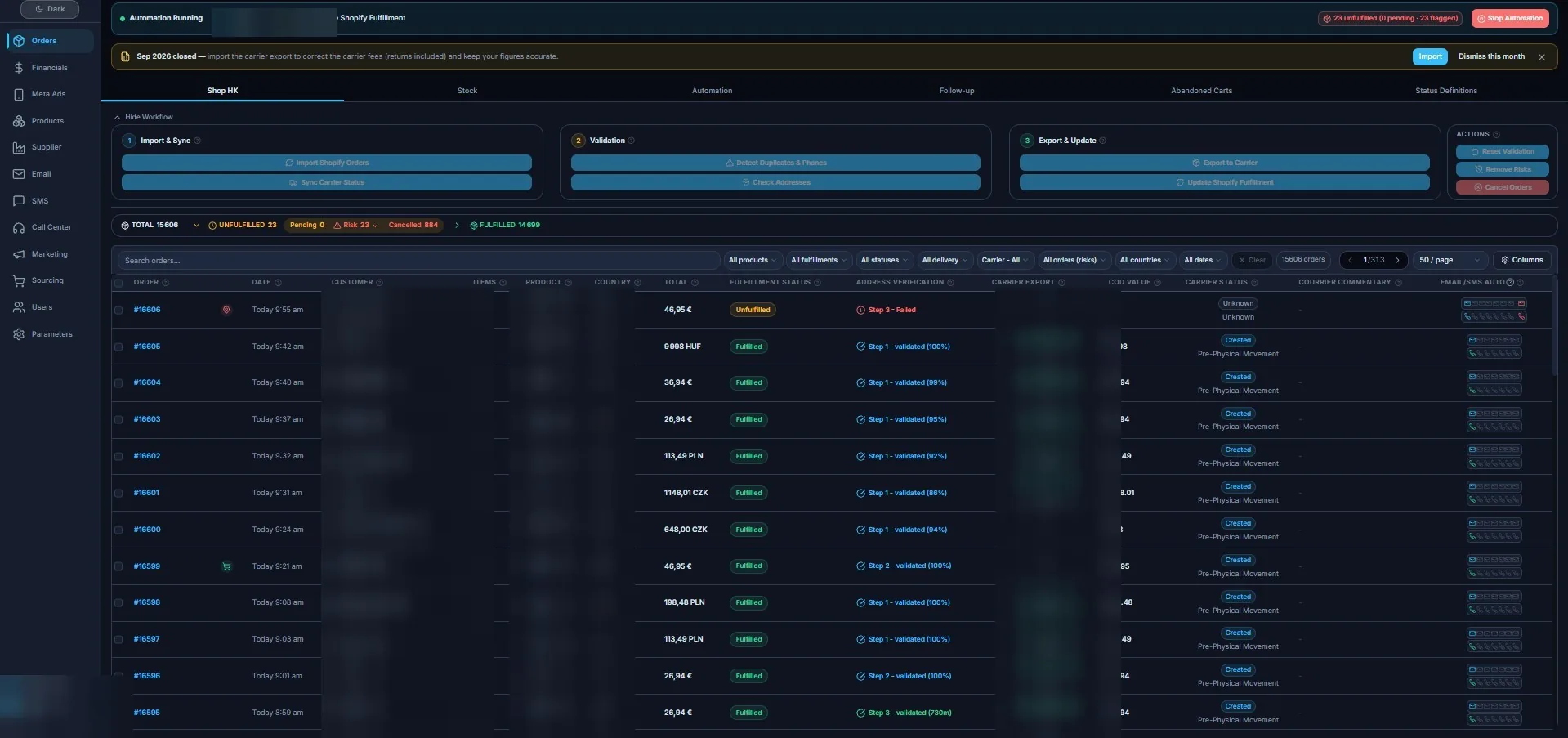
Order confirmation & address validation
Every order lands in one list, with its confirmation state and an address check next to it. Street and phone are validated before anything ships, so a typo doesn't turn into a failed delivery and a second shipping fee. The call-center confirms from the same screen.
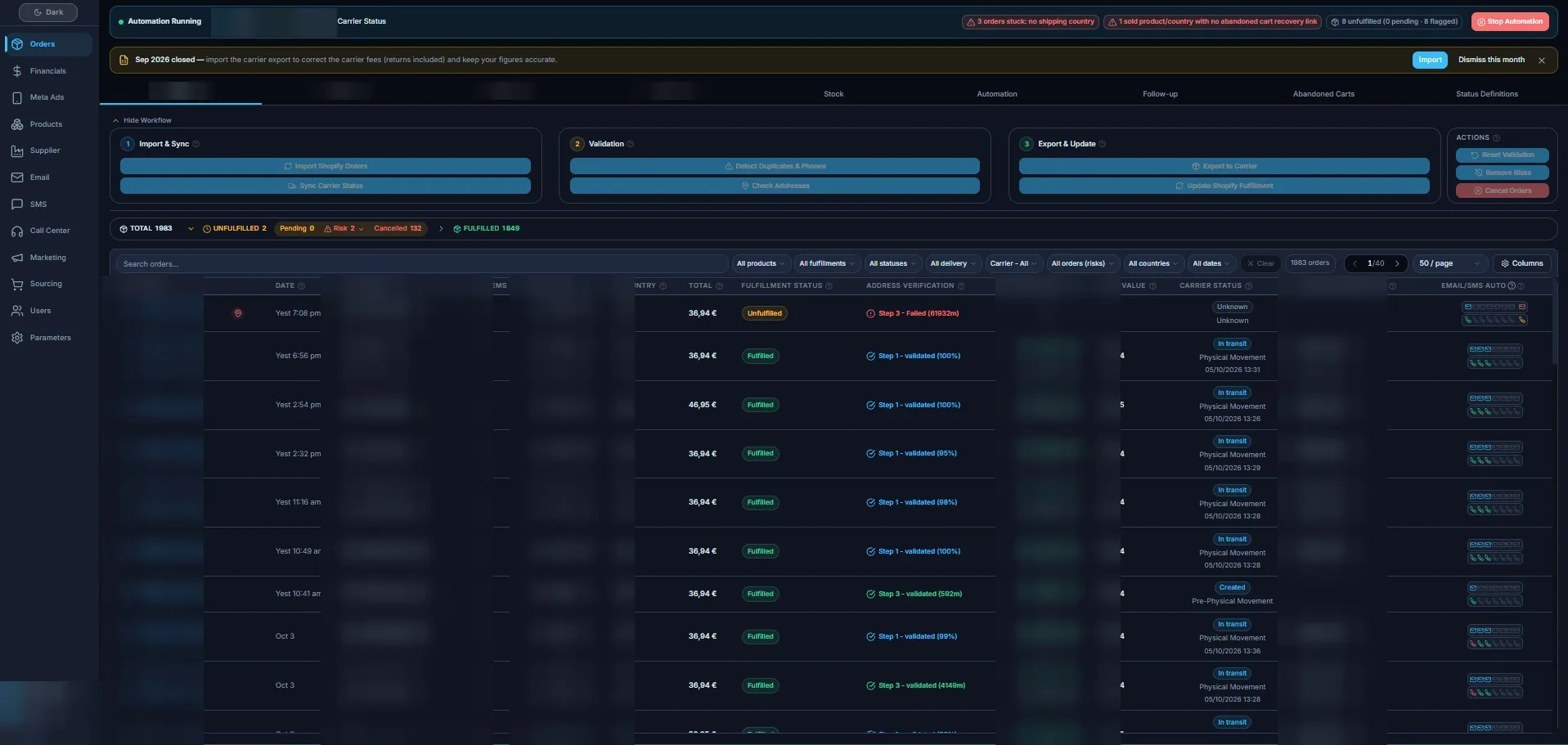
Multi-carrier routing with live status sync
Each order goes to the right carrier for its country, and the carrier status comes back on its own: created, in transit, delivered or returned. No more checking carriers one by one to know where a parcel is.
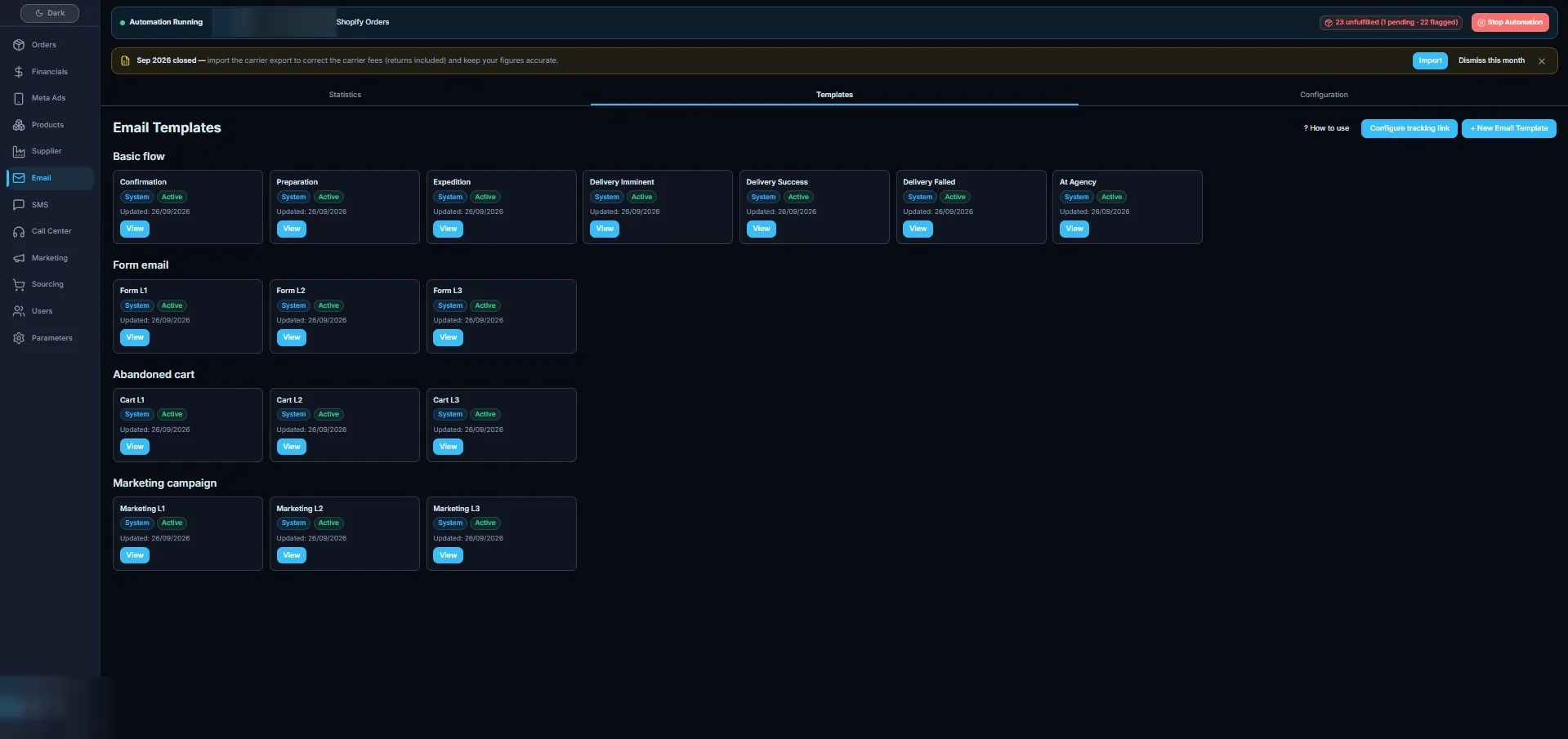
Automated email & SMS, per country and language
Confirmation, preparation, shipping, delivery and failed-delivery messages go out by themselves, in the customer's country and language. The customer knows the parcel is coming, so it's far less likely to be refused at the door.
Real margin: returns, COD fees & settlements reconciled
Carrier settlements, returns and COD fees are matched against each order, month by month. You read the cash actually collected and the margin actually kept, not the revenue the order count suggests.
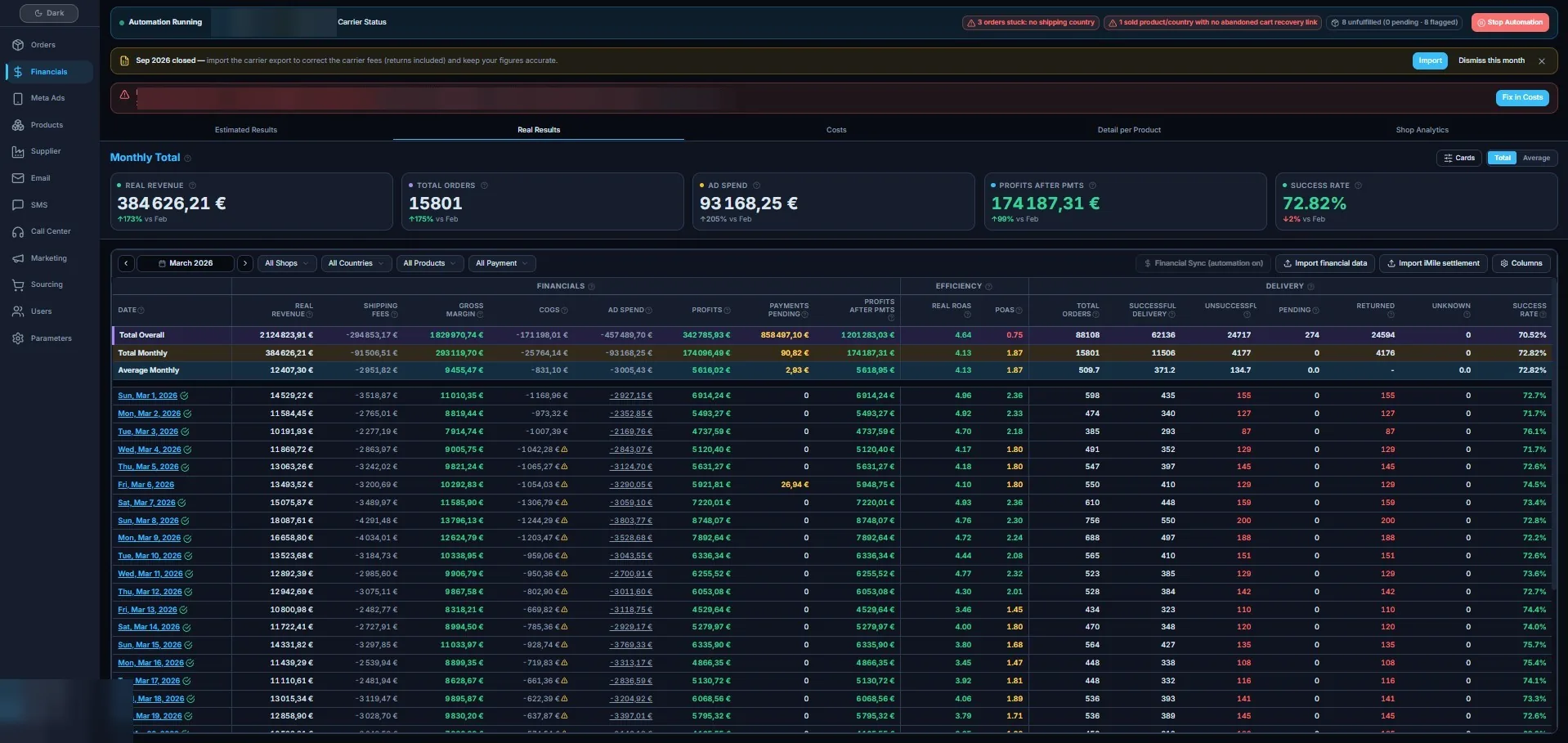
Stock, ad spend and call-center in one view
Products, cost of goods, ad spend and call-center work sit in the same app as the orders. Per product and per country, you see what was spent, what was delivered and what was kept, so you know where to push spend and where to fix delivery.
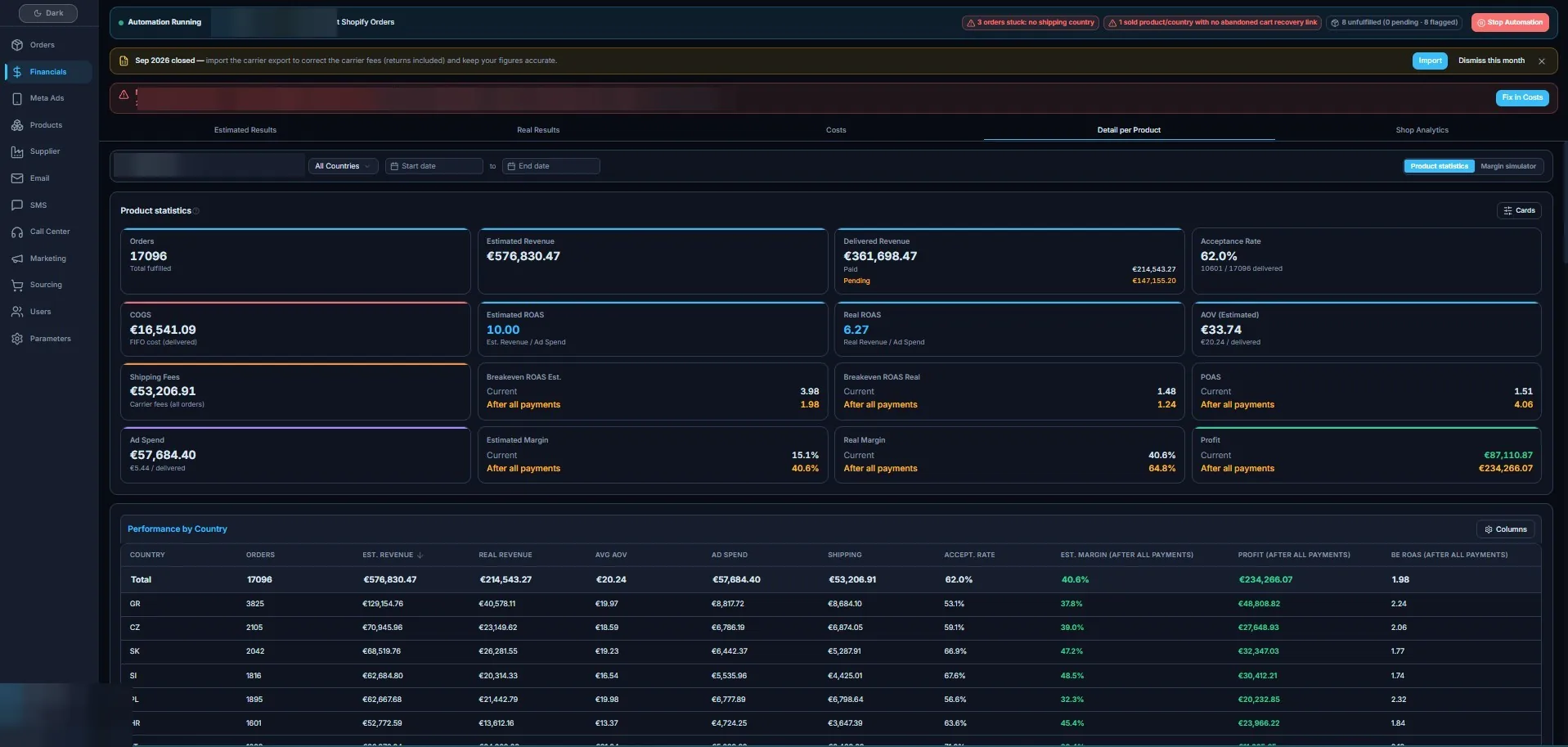
What it changed for the operators it runs.
Figures are shown as ranges on purpose: this is what the operation holds across stores and countries, not a single lucky month.
Four steps, and your team works from it.
The setup is scoped to your stores, countries and carriers, and quoted before anything begins.
- 01
Set up your instance
I set COD Manager up for your stores, countries and languages. There's nothing to install on your side: it runs in the browser.
- 02
Import your orders
Your store orders are imported into one list, deduplicated, and kept in sync from then on.
- 03
Connect your carriers
Each country is mapped to its carrier, with status synced back. A carrier that isn't connected yet is added as an adapter.
- 04
Training
I walk you and your call-center agents through the daily flow, so everyone works from the same screens from day one.
Hosted software, and your data stays yours.
COD Manager is the hosted option: you use the platform as it is, and I run it.
- Hosted and run by me: nothing to install or maintain on your side
- Your orders, customers and figures belong to you
- If you stop, you keep your data. Nothing is locked to me
- The same software runs live operations every day, across 10 countries
What people ask before a demo.
Which countries and carriers does COD Manager support?
It runs today across 10 countries with multiple carriers. A carrier that isn't connected yet is added as an adapter when you need it.
Should I use COD Manager or get a custom build?
COD Manager is the hosted option when you'd rather run the platform as-is. If you need a system of your own, with code you own, I build that too as a custom back office.
Do I keep my data?
Yes. Your orders, customers and figures stay yours. If you stop using COD Manager, you keep your data. Nothing is locked to me.
How long does setup take?
It depends on your stores, countries and carriers. I scope it with you on the first call and quote it before anything begins.
How much does it cost?
There's no public price list. After the demo and a short call about your stores, countries and volume, you get a quote before anything starts.
See COD Manager on orders like yours.
Tell me about your stores, countries and carriers. I'll show you the software on a short call and quote the setup before anything begins.
Need a system of your own instead? See custom builds → I reply within one business day.